# Transfer XRP with Axelar

The Axelar Bridge connects multiple blockchain networks, enabling secure asset transfers across the XRPL ecosystem and beyond. This guide explains how the bridge works and highlights the key differences between **Mainnet**, and **Testnet** setups.

## Understanding the Axelar Bridge

- **Cross-Chain Transfers:** Seamlessly move assets (e.g., XRP, IOUs, ERC20 tokens) between XRPL, XRPL EVM, and other connected chains.
- **Interoperability:** Unlock new possibilities for dApps, services, and users by allowing access to assets and functionalities across different blockchains.


Mainnet
## Bridging on Mainnet

### 1. Install MetaMask

Download and [install MetaMask](/pages/users/getting-started/install-metamask) for your browser.

### 2. Install an XRPL Wallet

Choose one of the following XRPL wallets:

- **XRPL Snap**
  - Install the [XRPL Snap](https://snap.xrplevm.org) for seamless integration with MetaMask.
  - Follow the [Quick Start Guide](https://snap-docs.xrplevm.org/getting-started/quick-start) for setup instructions.
- **Crossmark**
  - Use the [Crossmark](https://crossmark.io) wallet for a browser-first, non-custodial XRPL experience.


### 3. Using the Squid Bridge

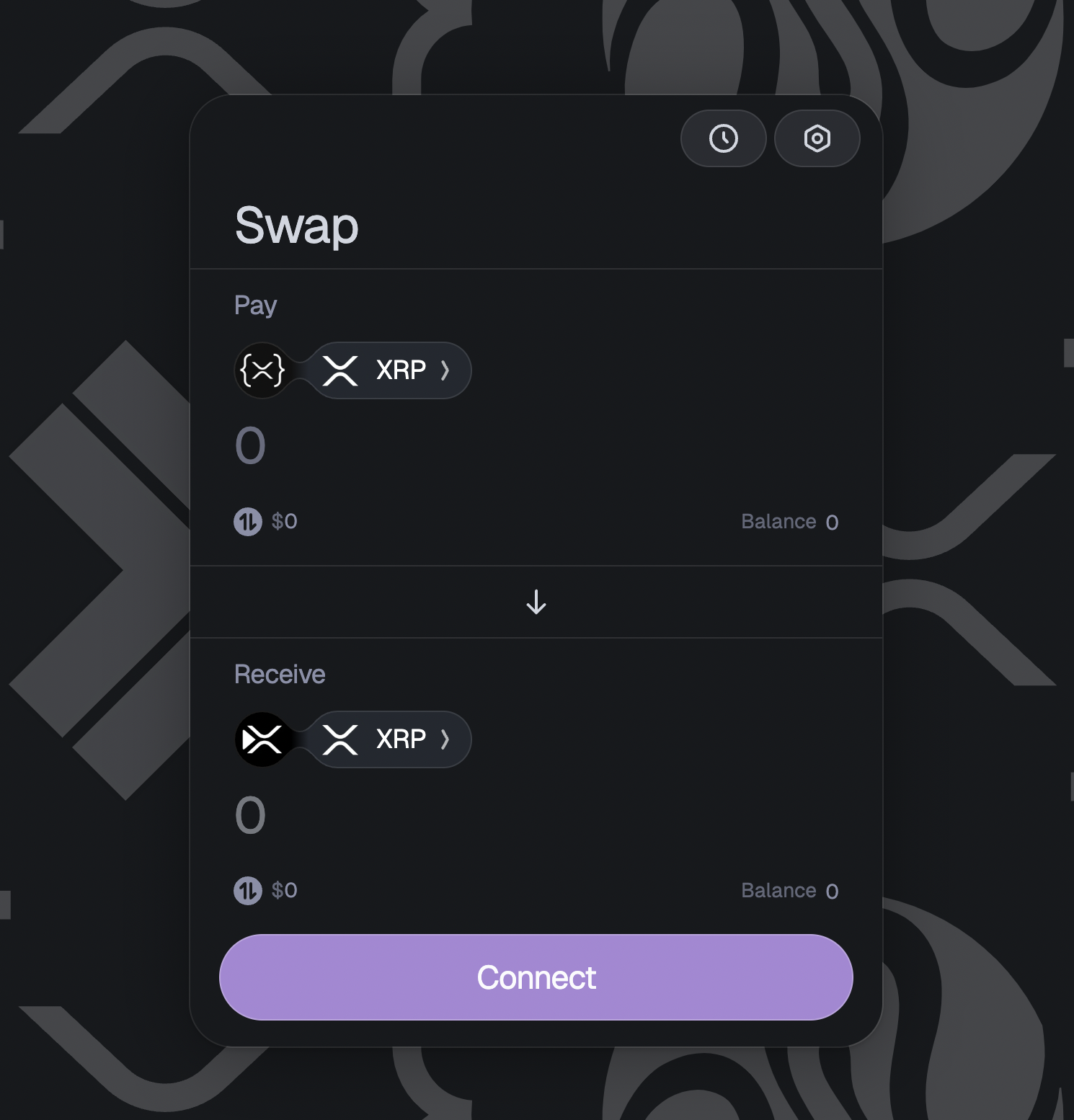
1. **Connect Your Source Chain Wallet**
  - Click **Connect**.
  - Select your XRPL wallet (either the XRPL Snap or Crossmark).
  - Approve the connection request to allow **SquidRouter** to interact with your XRPL wallet.
  - Once connected, you’ll see your XRPL address (e.g., `rfLm...bYVY`).
![UsingTheBridge](/assets/connectxrplwallet1.ff794735703edd5a833444dc7351094b59e1843d2291ac4b0f308370c9424189.8fee8d7d.png)
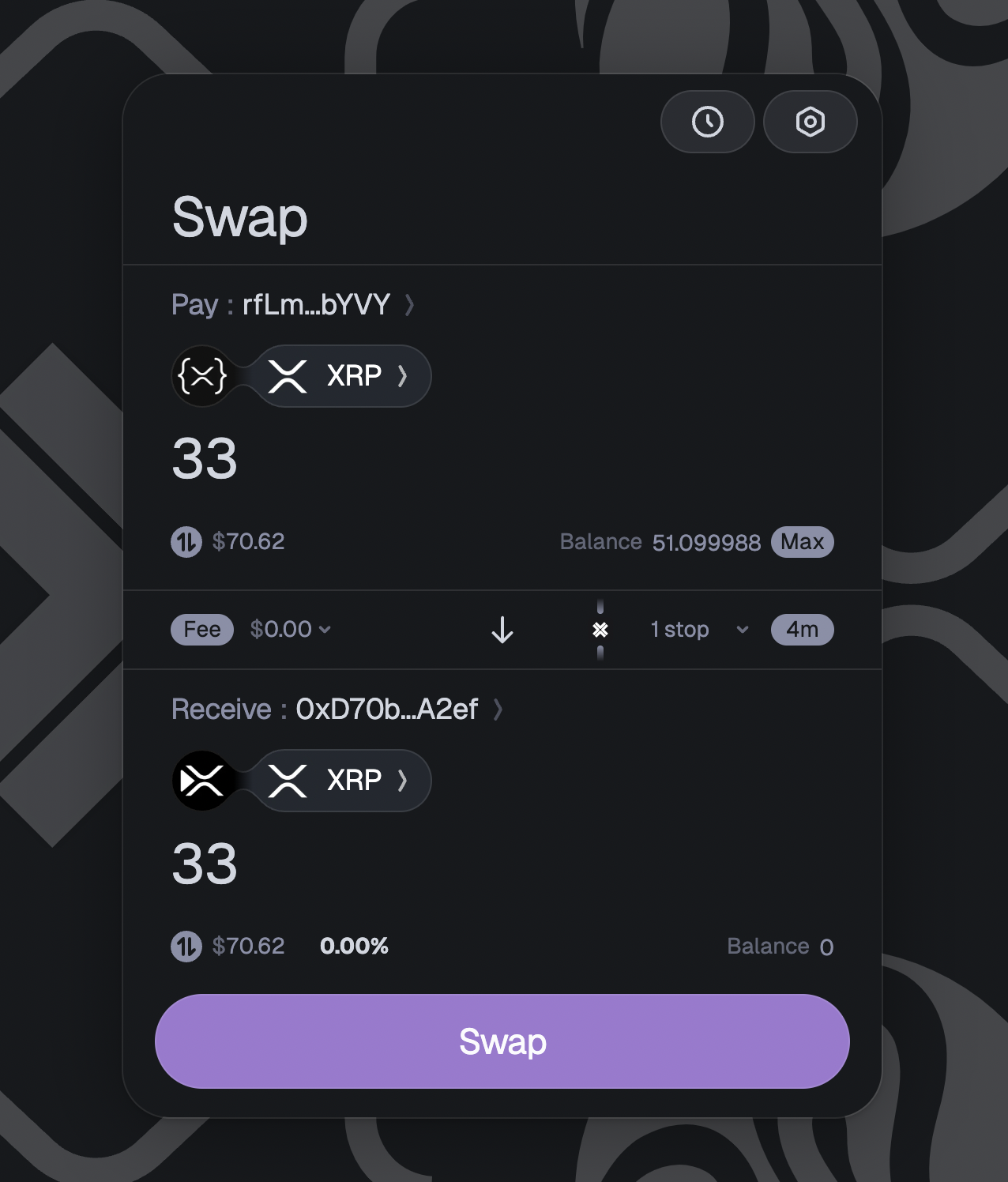
2. **Select the Amount to Swap**
  - Enter the amount of XRP you want to bridge.
  - Ensure you have sufficient XRP to cover transaction fees.
![UsingTheBridge](/assets/amountxrplwallet2.1549d188dba7dea1f0aadaf1174e8329865e7038628a0bd18139e8473fec64ae.8fee8d7d.png)
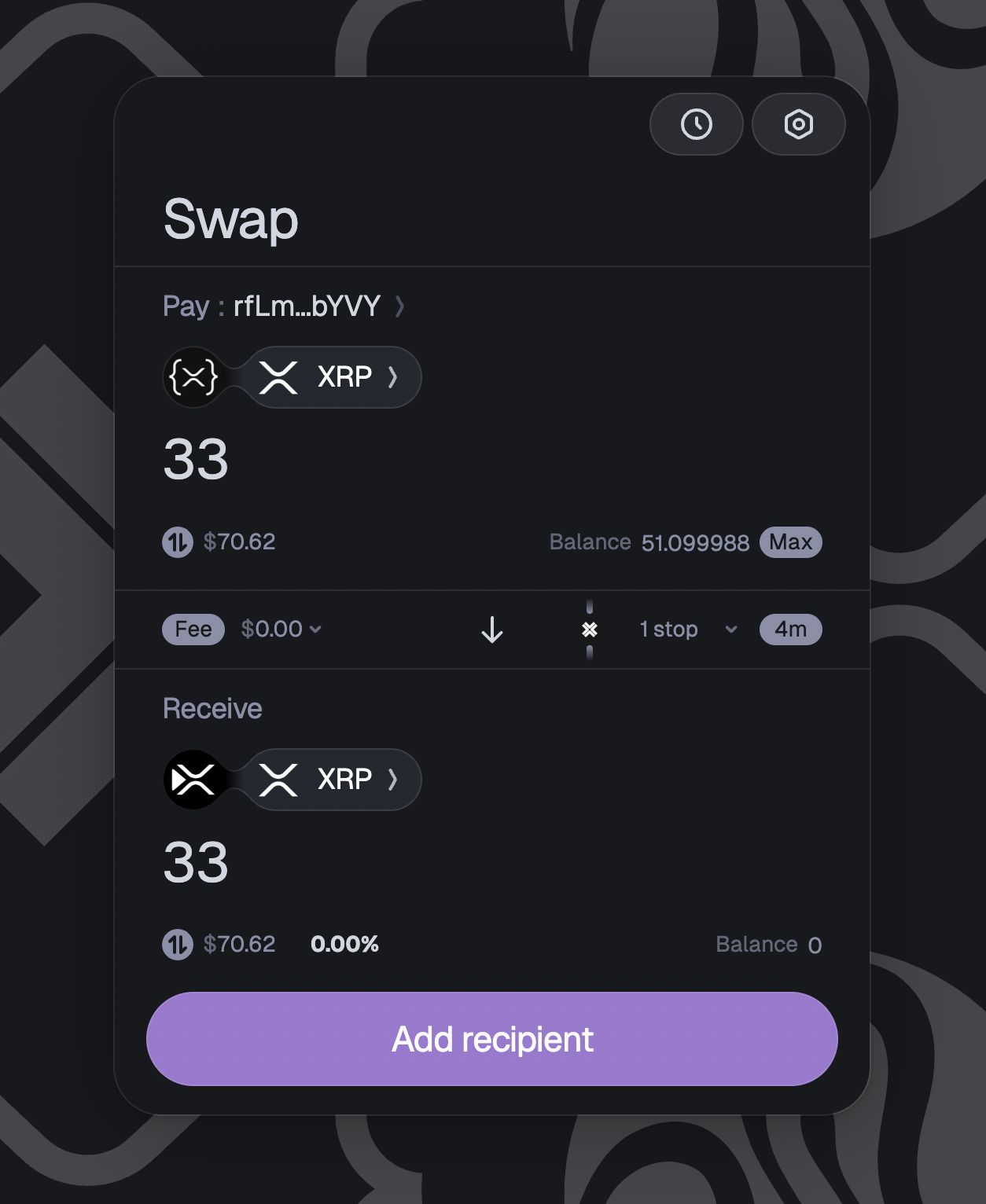
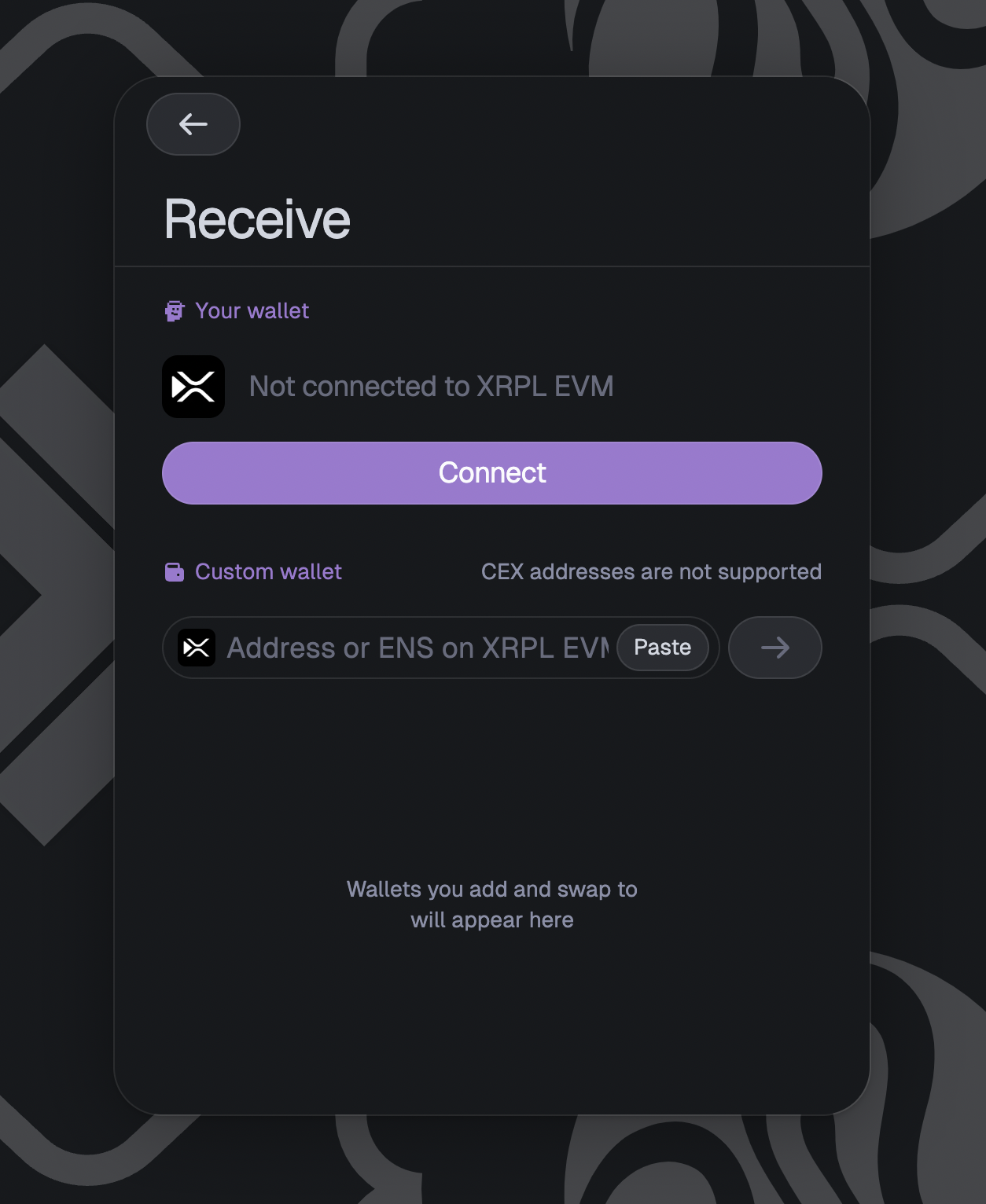
3. **Set the Receiver**
  - Click **Add recipient** to specify your XRPL EVM address.
  - Connect your XRPL EVM account using any WalletConnect-compatible wallet **or** paste the XRPL EVM receiver address directly.
![UsingTheBridge](/assets/setrecepientxrplwallet1.c61f14c12100a7d48cb4956b42d0cfb1b936817528668f797b860b897de49260.8fee8d7d.png)
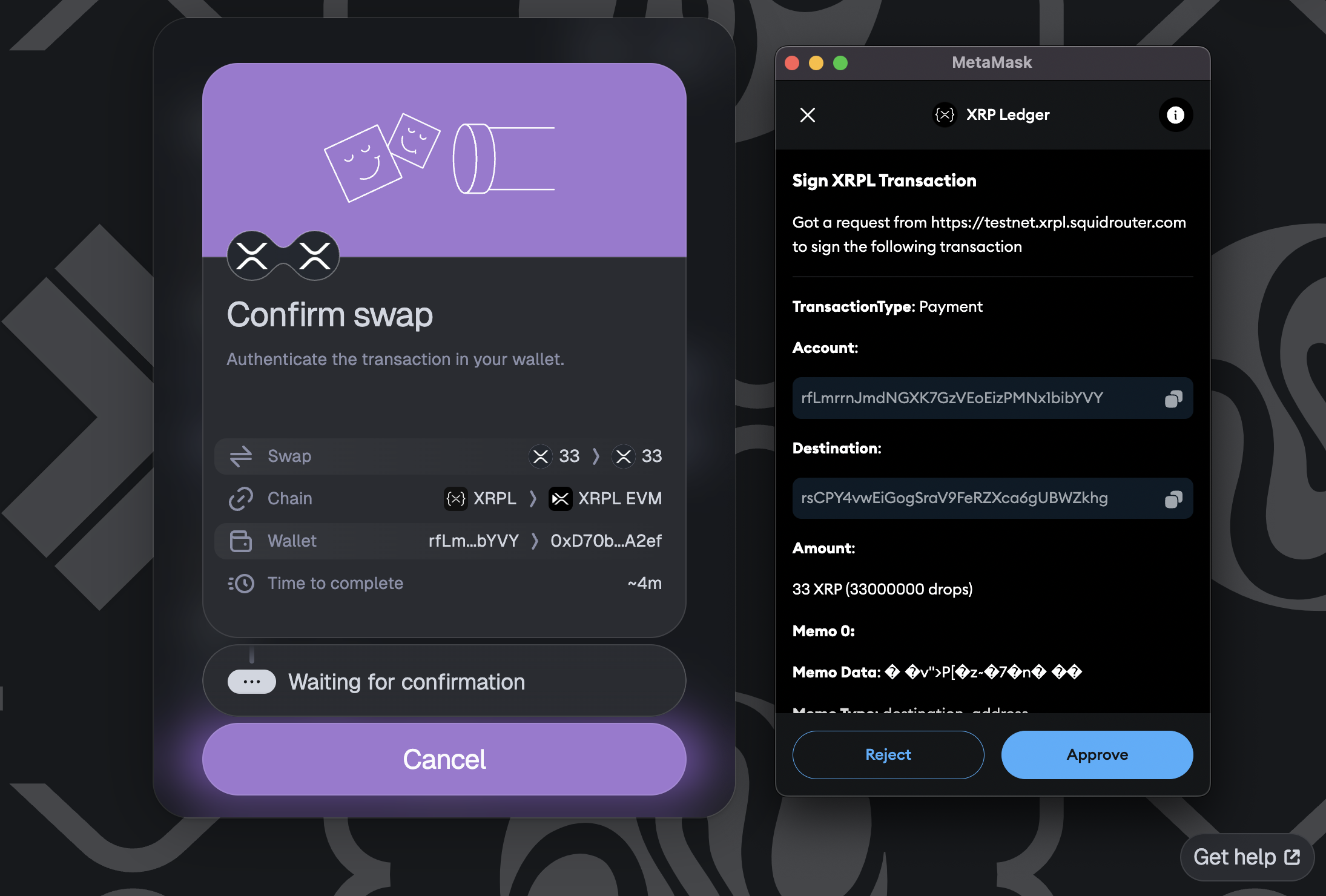
4. **Initiate the Swap**
  - Click **SWAP** to begin the cross-chain transfer.
![UsingTheBridge](/assets/swapxrplwallet.3c278305fbba883fc297026a7085c2b28859b710ffefbc0f7e105e8bec6c1dd0.8fee8d7d.png)
  - Review and **Approve** the transaction in your XRPL wallet.
![UsingTheBridge](/assets/swapapprovexrplwallet.9d747ed14aee566f403f8afb9c49f128f478f5fcd9525cd060cd4d605f2d9a8e.8fee8d7d.png)
5. **View Your Assets on the XRPL EVM**
  - Add the [XRPL EVM](/pages/users/getting-started/connect-to-the-xrpl-evm#adding-xrpl-evm-to-metamask) network to MetaMask if you haven’t already.
  - Once the transaction completes, your XRP (or other assets) will be visible in your XRPL EVM wallet.


Testnet
## Bridging on Testnet

### 1. Install MetaMask

Download and [install MetaMask](/pages/users/getting-started/install-metamask) for your browser.

### 2. Install an XRPL Wallet

Choose one of the following XRPL wallets:

- **XRPL Snap**
  - Install the [XRPL Snap](https://snap.xrplevm.org) for seamless integration with MetaMask.
  - Follow the [Quick Start Guide](https://snap-docs.xrplevm.org/getting-started/quick-start) for setup instructions.
- **Crossmark**
  - Use the [Crossmark](https://crossmark.io) wallet for a browser-first, non-custodial XRPL experience.


### 3. Use the Testnet Bridge

1. **Connect Your Source Chain Wallet**
  - Click **Connect**.
  - Select your XRPL wallet (either the XRPL Snap or Crossmark).
  - Approve the connection request to allow **SquidRouter** to interact with your XRPL wallet.
  - Once connected, you’ll see your XRPL address (e.g., `rfLm...bYVY`).
![UsingTheBridge](/assets/connectxrplwallet1.ff794735703edd5a833444dc7351094b59e1843d2291ac4b0f308370c9424189.8fee8d7d.png)
2. **Select the Amount to Swap**
  - Enter the amount of XRP you want to bridge.
  - Ensure you have sufficient testnet XRP to cover transaction fees.
![UsingTheBridge](/assets/amountxrplwallet2.1549d188dba7dea1f0aadaf1174e8329865e7038628a0bd18139e8473fec64ae.8fee8d7d.png)
3. **Set the Receiver**
  - Click **Add recipient** to specify your XRPL EVM Testnet address.
  - Connect your XRPL EVM account using any WalletConnect-compatible wallet **or** paste the XRPL EVM receiver address directly.
![UsingTheBridge](/assets/setrecepientxrplwallet1.c61f14c12100a7d48cb4956b42d0cfb1b936817528668f797b860b897de49260.8fee8d7d.png)
4. **Initiate the Swap**
  - Click **SWAP** to begin the cross-chain transfer.
![UsingTheBridge](/assets/swapxrplwallet.3c278305fbba883fc297026a7085c2b28859b710ffefbc0f7e105e8bec6c1dd0.8fee8d7d.png)
  - Review and **Approve** the transaction in your XRPL wallet.
![UsingTheBridge](/assets/swapapprovexrplwallet.9d747ed14aee566f403f8afb9c49f128f478f5fcd9525cd060cd4d605f2d9a8e.8fee8d7d.png)
5. **View Your Assets on the XRPL EVM Testnet**
  - Add the [XRPL EVM Testnet network](/pages/users/getting-started/connect-to-the-xrpl-evm#adding-xrpl-evm-to-metamask) to MetaMask if you haven’t already.
  - Once the transaction completes, your XRP (or other assets) will be visible in your XRPL EVM Testnet wallet.


## Summary

By following these steps, you can securely swap assets across XRPL and XRPL EVM, and other Axelar-connected chains. Whether you’re a developer testing dApps or a user exploring cross-chain interoperability, the Axelar Bridge streamlines asset transfers and unlocks new possibilities across the XRPL ecosystem.